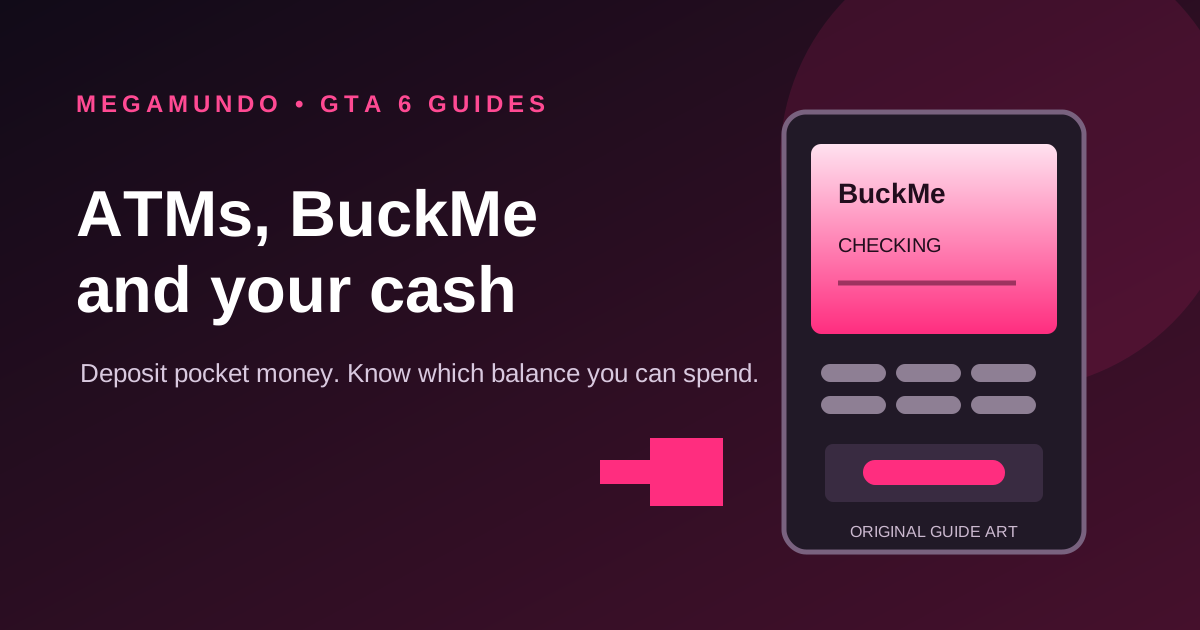
If a GTA 6 mission tells you to deposit cash and the map has no obvious bank marker, you do not need to go hunting for a branch. BuckMe has an ATM Finder, and any ATM can move the cash in your pocket into your Checking account.
The part that catches people is the second transfer. Checking is money you can still spend. Family Savings is a one-way transfer. Do not move cash into savings just because you mean to deposit it at an ATM.
The fast route to an ATM
- Unlock BuckMe by progressing through Buck Me (Set Up Bank Account) in Chapter 1. PowerPyx lists the app as that mission’s reward.
- Press Up on the D-pad to open the phone and select BuckMe.
- Scroll to ATM Finder and choose Set Destination. This marks a machine as a waypoint.
- Go to the ATM and interact with it: Triangle on PS5 or Y on Xbox, according to launch walkthroughs.
- Choose Deposit, select how much pocket cash to move and confirm.
Prefer a list? GamesRadar’s Josh West says the game’s Index has a Personal section that lists every cash deposit location in the world.
At the machine you get three options: Deposit, Withdraw and a list of recent transactions. GamesRadar puts the limit at $20,000 per transaction in either direction, which matches the most pocket cash a character can carry. Keep a little cash back if you plan to travel: Paradise Taxi only takes pocket cash, while RydeMe bills your bank account, as our fast travel guide explains.
GTA BOOM’s hands-on walkthrough also confirms the ATM Finder sits lower in the BuckMe app, below its account cards. GamesRadar and The Click describe the same ATM deposit flow. If a story task named Deposit Cash Into BuckMe is active, this is the deposit it wants: cash into Checking at a machine.
Why depositing matters so early
GamesRadar reports two limits on pocket cash that make the ATM worth a detour. Jason and Lucia can each carry up to $20,000 in cash, and pocket cash can only pay for purchases up to $1,000. Anything bigger has to come out of Checking, so a large haul sitting in your pocket is both at risk and, for big purchases, useless until it is deposited.
Checking and Family Savings are different
| Account | What it does | Can you spend or withdraw it? |
|---|---|---|
| Pocket cash | Money Jason or Lucia carries | Yes, for cash purchases; can be lost when wasted or busted, according to GamesRadar |
| BuckMe Checking | Individual account for deposits and digital purchases | Yes. Withdraw from an ATM or use it for eligible purchases |
| Family Savings | Shared long-term goal for Jason and Lucia | No. Sources say transfers cannot be taken back out |
ATM Deposit moves pocket cash into Checking. Buck Yourself in the phone app moves money from Checking into Family Savings. Those are separate actions with different consequences. GTA BOOM’s walkthrough shows the BuckMe tutorial transferring its GTA$100 welcome credit into Family Savings, where it counts toward the Save for the Future goal. That tutorial step does not mean every ATM deposit should go there.
For a first deposit, choose ATM Deposit and leave the Family Savings transfer alone unless you are deliberately putting money away. Our treasure-diving guide covers another early cash route, and the car theft guide explains registration and selling.
What if BuckMe says the account is full?
Rockstar Support says BuckMe limits increase as you progress through the main story. If a payment cannot fit in a full Checking account, it stays pending and is processed once a story upgrade raises the limit. Keep playing the story; changing ATMs will not raise an account limit.
Guides report different early account caps, and the limit changes with story progress, so we are not publishing one fixed number as a universal value. Check the BuckMe screen in your own save before planning a large deposit.
Is banked money protected?
Pocket cash is the clearest risk: GamesRadar says Jason and Lucia can lose it when wasted or busted. Accounts are less straightforward. PowerPyx reports that some Checking money can also be lost on death, while several other guides emphasize pocket cash loss without describing the same Checking penalty. We have not found enough agreement to promise that every dollar in Checking is safe. GTABase’s launch guide to the police adds one more detail: being wasted or busted costs your pocket cash plus a small BuckMe maintenance fee. That fits a small account deduction on death or arrest rather than a wiped balance, but no outlet has published exact figures yet. Our wanted level and Heat guide covers how to avoid being busted in the first place.
Family Savings is described as money that cannot be lost, but it is also locked away: Rockstar’s support note covers account limits, while GTA BOOM and GamesRadar say you cannot withdraw a Family Savings transfer. Treat it as long-term money, not an emergency wallet.
Sources and what they establish
- Rockstar Support: BuckMe account limits: limits rise with story progress; pending payments process after an account upgrade.
- PowerPyx: Buck Me walkthrough and Deposit Cash Into BuckMe: mission sequence, app unlock and ATM deposit task.
- GTA BOOM: Buck Me and BuckMe setup: hands-on app path, the welcome credit, ATM Finder and Family Savings transfer.
- GamesRadar: using ATMs and BuckMe accounts: ATM controls, pocket cash, Checking and savings behavior.
- GTABase: wanted level and Heat guide: what you lose when wasted or busted, including the BuckMe maintenance fee.
- The Click: depositing cash: ATM Finder, controller prompts and the distinction between Checking and Family Savings.
The saving guide covers a different kind of safeguard: keeping a manual save before a risky mission or decision.